
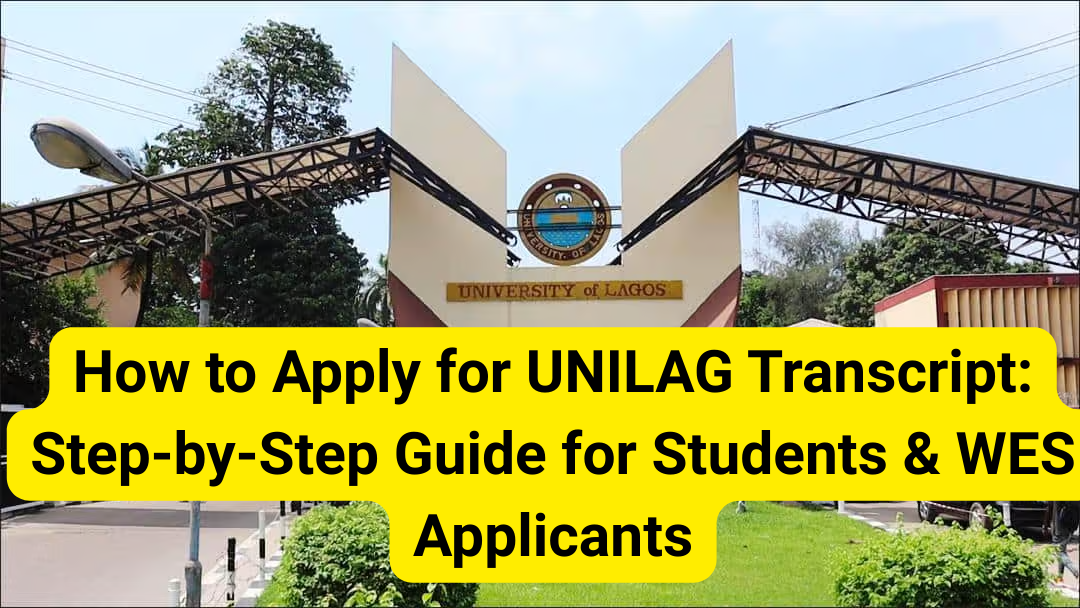
Navigating the process of requesting an official transcript from the University of Lagos (UNILAG) can be daunting if you don’t have the right information. Whether you are applying for a WES evaluation, seeking a scholarship abroad, or verifying your records for employment, following the correct procedure is critical to avoid delays.
In this guide, we break down the official requirements, the “Dos and Don’ts,” and a step-by-step walkthrough for every type of UNILAG transcript application.
🛑 Important Rules You Must Know Before Applying for UNILAG Transcript
Before you click “New Application,” keep these strict university policies in mind. Failure to adhere to these can result in your application being voided.
- No Hand Collections: Official transcripts are never issued directly to individuals. You cannot pick them up in person.
- Restricted Destinations: Official transcripts cannot be sent to personal emails (e.g., Gmail or Yahoo) or internal UNILAG department emails.
- Third-Party Prohibition: Transcripts will not be sent through third-party organizations (soft or hard copies).
- Employment Note: Transcripts are generally not sent to companies for employment. If a company needs proof of your graduation, you should request a Statement of Result instead.
- First-Come, First-Served: Applications are processed in the order they are received.
- No “Fast Track” Payments: UNILAG does not recognize any “fast track” services. Do not pay any individual or outside organization to speed up the process. Only pay via the official Remita platform using a generated Payment Advice.
📍 Where Can Official Transcripts Be Sent?
UNILAG will only dispatch official transcripts to:
- Registrars or Deans of Postgraduate Schools at equivalent academic institutions.
- Scholarship Boards.
- Embassies.
- Evaluating Entities (like WES, ICAS, etc.).
Pro Tip: If you require an electronic upload to a portal, you must provide the official web link, your username, and your password in the application so the records office can complete the upload for you.
🎓 Specialized Application Tracks
Not all students follow the same path. Check if you fall into these categories:
| Category | Requirement/Action |
| Direct Entry / Foundation | You must apply for your Diploma Result along with your degree transcript. |
| Medical Students (CMUL) | Direct your application to the College of Medicine, Idi-Araba via cmulacademic@unilag.edu.ng. |
| Distance Learning (DLI) | Contact dlirecords@unilag.edu.ng for enquiries. |
| Technical Support | For password resets or portal issues, email citssupport@unilag.edu.ng. |
📝 Step-by-Step: Applying for Official UNILAG Transcript
If you are applying for a standard academic transcript or Statement of Result, follow these 12 steps:
- Read the Notice: Ensure you meet all requirements.
- Start New Application: Click the “New Application” link on the portal.
- Matric Number: Enter your matriculation number. If forgotten, use the “forgotten matric no” recovery button.
- Verify Details: Check your name and contact info. Update your phone/email if necessary.
- Manual Entry: If the auto-displayed info is wrong, log in again, skip the matric section, but ensure you type the correct matric number into the address section before submitting.
- Select Document: Choose the programme and document type (Transcript, Attestation, etc.).
- Entry Mode: If you entered via Direct Entry/Diploma, click “Yes” and provide those specific details.
- Destination: Specify the address and dispatch method.
- Payment: Generate a Remita (RRR) and pay online or via
remita.netunder “Bills & Purchase.” - Bank Option: You can also print the Payment Advice and pay at any commercial bank.
- Confirmation: You will receive a confirmation email once payment is successful.
- Track: Monitor your status via the portal.
Follow Us on Social Media
Special Procedure: WES Applications
For those moving to Canada or the US, the World Education Services (WES) process has a specific toggle on the portal.
- Follow Steps 1–6 of the general application.
- Step 7: Select WES as your destination specifically.
- Step 8: You MUST include your WES Reference Number in the application. Without this, WES cannot match the transcript to your profile.
- Complete Payment: Proceed with the RRR payment as described above.
📄 How to Get a Student (Unofficial) Transcript
If you just need a copy of your results for personal use, you can apply for a Student Copy:
- Log in to the Student Portal.
- Under the Results Menu, click “Student Academic Transcript.”
- Provide your email and select the programme.
- Pay the fee via Remita.
- The transcript will be emailed to you and made available for download on the portal.
🔍 Record Verification & Fees
For institutions or bodies looking to verify the authenticity of a UNILAG document or student enrollment:
- Document Verification: ₦5,000
- Student Enrolment / Attendance Verification: ₦3,500
🚚 Tracking Your Application
Once processed, you can track your physical dispatch through these official partners:
- DHL: www.dhl.com
- UPS: www.ups.com
- FedEx (Red Star): www.redstarexpress-ng.com
- Peacock: www.peacockaviation.com
Note: Digital uploads or NIPOST dispatches do not have tracking numbers.
Need help with your specific application? Would you like me to help you draft a follow-up email to the Records Office if your application is taking longer than expected?

Dear Sir/Madam,
I hope this message finds you well.
My name is Vincent Orhurhu, and I was admitted into the University of Lagos. I am writing to kindly request my matriculation number, as I am currently outside Nigeria and unable to visit the school physically to obtain it.
I would appreciate it if you could assist me with the details or guide me on the process required to retrieve my matric number. Please let me know if any additional information or documents are needed from my end.
Thank you for your time and assistance. I look forward to your positive response.
Yours faithfully,
Vincent Orhurhu
We can’t help you
Hello,
Do you know how long (How many business days) it takes for an institute to receive a soft copy of a requested Transcript.
Thank you
0-3 weeks