

For every student at the Federal University of Technology Akure (FUTA), the official portals are the digital heart of your academic journey. They are not just websites; they are your personal academic file cabinet, payment gateway, and more.
Mastering the Undergraduate (FIRARS) and Postgraduate (pgportal) portals is crucial for a smooth experience from registration day to requesting your final academic records.
Here is your essential, step-by-step guide to navigating the FUTA portals whether you are an undergraduate or postgraduate student
1. The FUTA Undergraduate Portal (FIRARS)
The FIRARS portal is the primary platform for all regular undergraduates, serving as your administrative lifeline throughout your four to five years at the university.
Initial Login & Security (Freshers & Returning Students)
| Candidate Status | Username | Initial Password |
| Fresh Students | Your JAMB Registration Number | Your Surname (in CAPITAL/UPPERCASE) |
| Returning Students | Your Matriculation Number | Your Surname (in CAPITAL/UPPERCASE) |
- Crucial Step: Upon first login, you will be prompted to supply a valid email address and phone number and change your password. This is vital for security and for receiving critical communication like accommodation offers.
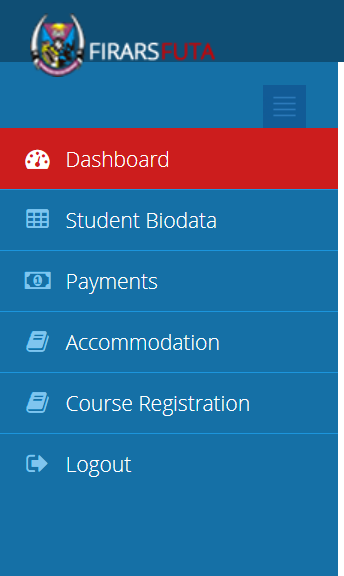
Key Tasks on the Undergraduate Portal
| Task Category | Purpose & Process |
| School Fee Payment | Step 1: Click the Payment section. Step 2: Select the correct payment type (e.g., School Fee). Step 3: Generate an Invoice containing your RRR Number. Step 4: Pay the RRR through the REMITA Platform ONLY (via bank branch or online using your ATM card). |
| Course Registration | This link appears ONLY AFTER your school fee payment has been successfully confirmed/verified on the portal. You must register courses every semester. |
| Student Biodata | Fresh students must complete this section. It includes uploading your O’Level results for screening and providing personal information. Ensure your results are uploaded correctly on the portal and JAMB CAPS. |
| Accommodation | The Accommodation link becomes active once your school fee is confirmed. Hostel application is typically on a first-come, first-served basis, so monitor the portal closely for opening announcements. |
2. The FUTA Postgraduate Portal (Pgportal)
This portal is tailored for PGD, M.Tech, M.Phil, and Ph.D. students, managing everything from admissions to annual progress.
📚 Key Tasks on the Postgraduate Portal
| Task Category | Purpose & Process |
| Admission & Acceptance | Newly Admitted: Log in, generate the Acceptance Fee Invoice using your RRR, pay at the bank or through remita.net, and verify the payment on the portal before generating your admission letter. |
| School Fee & Registration | The Course Registration link is unlocked ONLY AFTER your school fee payment has been successfully verified and bio-data registration done. |
| Annual Progress Form (Returning Students) | Returning M.Tech/Ph.D. students must first submit Part A of the Annual Progress Form online. The printed copy must be submitted to your Department/School for clearance before the SPGS enables you to pay new session school fee and register for the new session. |
| Admission List | The portal provides a dedicated section to check your admission status by selecting your Programme Type, Department, and Year of Admission. |
3. Your Post-Graduation Gateway: The E-Transcript Portal
When your journey in FUTA is complete, the dedicated E-Transcript Portal becomes your most important link to the university for career or further studies.
E-Transcript Application Process for Undergraduate student
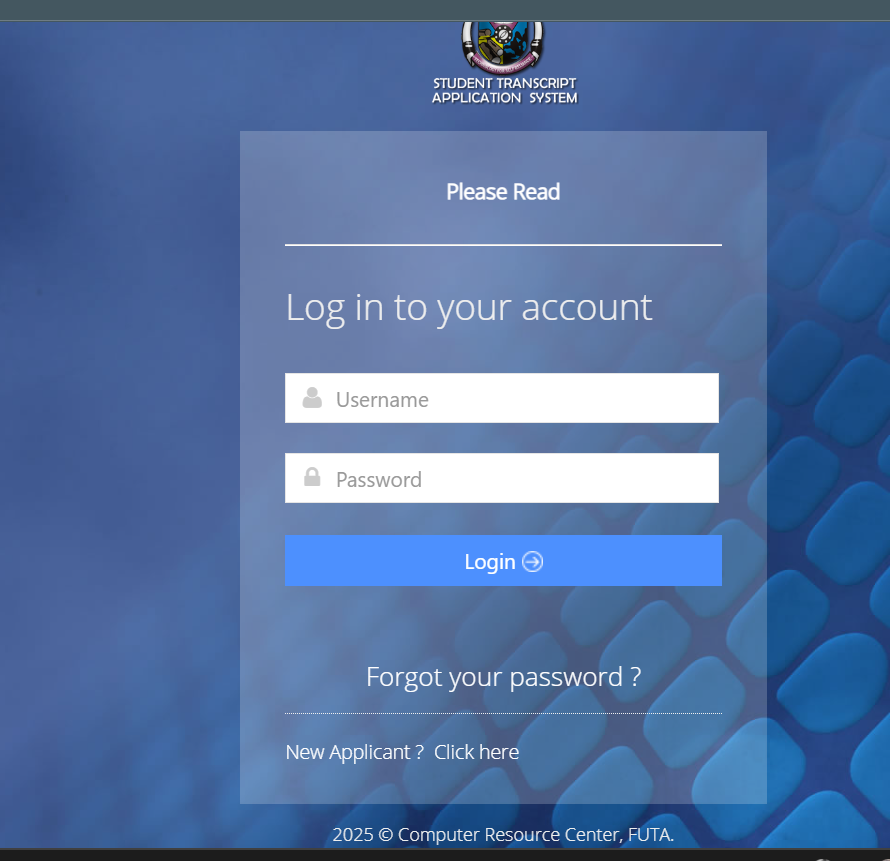
- Create/Login to Account: Go to the official FUTA E-Transcript portal. New applicants must click “Transcript Application” to register their details and receive login credentials.
- Update your Profile: Fill in your personal Details like name, matric number, state of origin and others
- Submit a Request for Transcript: Log in and fill the application forms, specifying the type of transcript (Original Copy, Student Copy, etc.) and the destination (e.g., another university, employer, or yourself).
- Generate Invoice & Pay: Proceed to the payment page. You can pay Online via Card (using remita.net) or via Bank Outlet/Branch (you must log back in to confirm the payment with the RRR to complete the application).
- Crucial Note: Applications where payment is not successfully confirmed will NOT be treated. Ensure your bank payment is verified immediately.
Transcript Application Process for Postgraduate student
- Create/Login to Account: Go to the official FUTA PgTranscript portal. New applicants must click “Transcript Application” to register their details and receive login credentials.
- Update your Profile: Fill in your personal Details like name, matric number, state of origin and others
- Submit a Request for Transcript: Log in and fill the application forms, specifying the type of transcript (Original Copy, Student Copy, etc.) and the destination (e.g., another university, employer, or yourself).
- Generate Invoice & Pay: Proceed to the payment page. You can pay Online via Card (using remita.net) or via Bank Outlet/Branch (you must log back in to confirm the payment with the RRR to complete the application).
- Crucial Note: Applications where payment is not successfully confirmed will NOT be treated. Ensure your bank payment is verified immediately.
Mastering these portals is the key to an administratively smooth university experience. Always log out after use and keep your login credentials secure!


I really like reading through an article that will make people think.
Also, many thanks for permitting me to comment!